
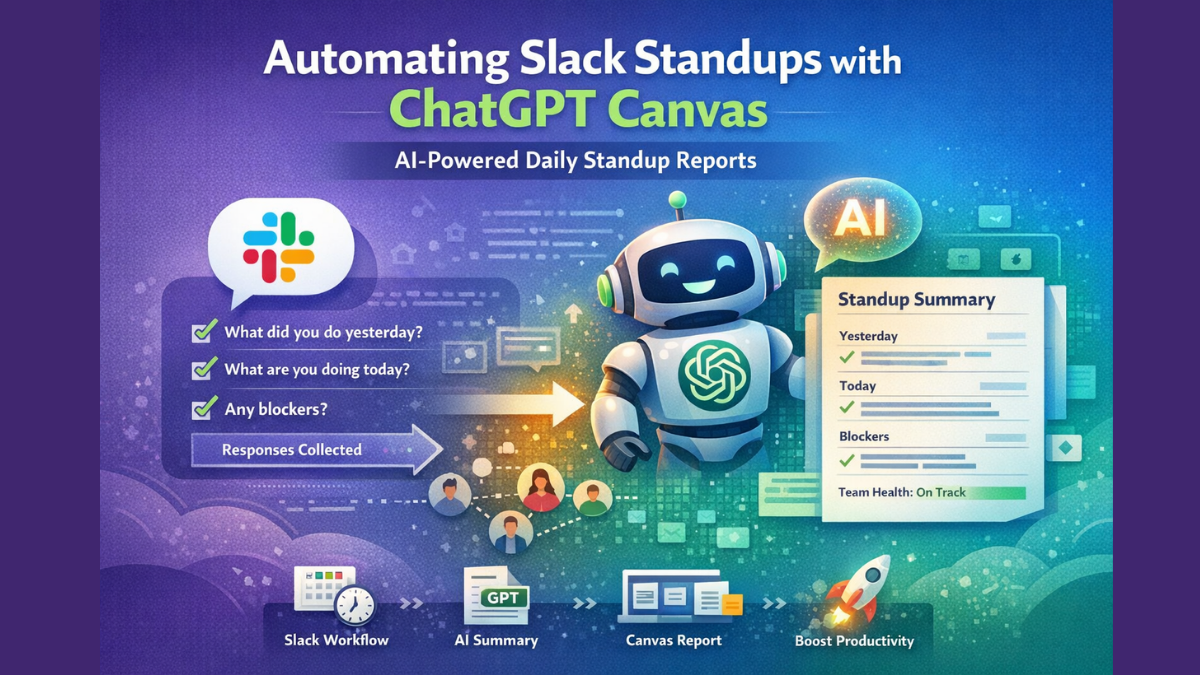
Daily standups are core to agile teamwork, but they can also be a time sink. We’ve all been there — the same “yesterday, today, blockers” ritual eating into productivity.
What if you could automate that? What if your team updates themselves, and an AI drafts the summary? That’s what automating Slack standups with ChatGPT Canvas lets you do. Here’s the full breakdown.

Why Automate Standups in Slack
Imagine this: You don’t host a meeting, don’t ping every teammate, and still get clear daily updates. That’s the simplest benefit. Now add AI that structures those updates into a polished summary. You save time, reduce repetitive tasks, and keep work moving without friction.
Here’s what automation solves:
- No more interrupting team flow with live standups.
- Async contributions from any timezone.
- Standup answers are collected and stored automatically.
- AI turns messy responses into clean summaries.
Slack’s Workflow Builder can already automate messages. But pairing it with AI takes it further — turning responses into insight.
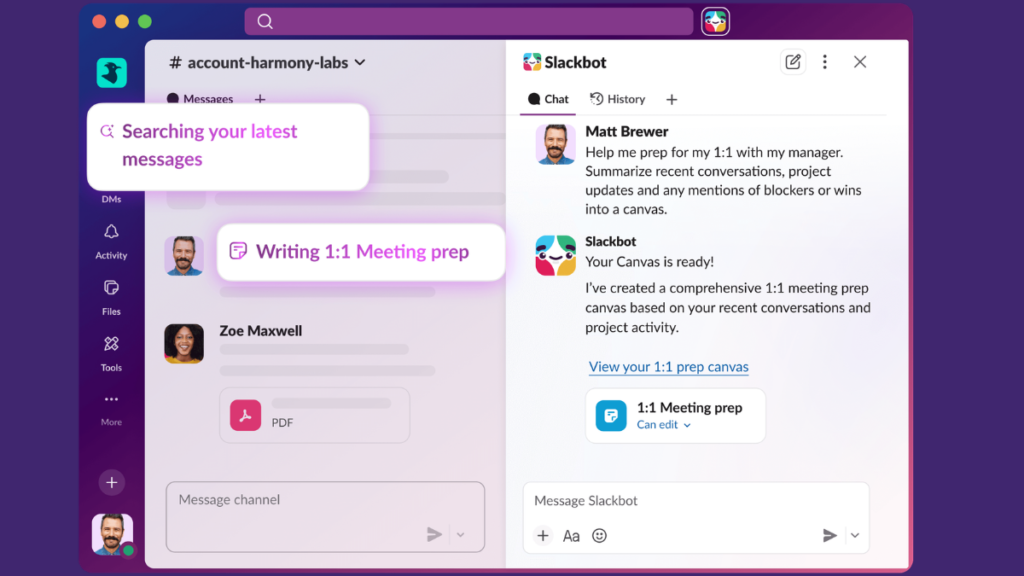
How ChatGPT Fits Into Slack Standups
The normal workflow builder in Slack lets you schedule questions and collect answers. But it stops there.
ChatGPT Canvas adds an AI layer:
- It reads team responses.
- Understands context like goals and blockers.
- Generates a polished report.
- Can even answer follow-ups in natural language.
So instead of a raw dump of text, you get real insight.
Core Components You’ll Need
Here’s what automation looks like at a high level:
- Slack Workflow – Sends standup prompts.
- Response Collection – Each teammate submits answers.
- AI Engine (ChatGPT) – Processes responses and crafts summaries.
- Canvas Output – A structured shareable doc inside Slack.
- Optional Chatbot Engine – If you want real-time AI replies or follow-ups.
You can build this with popular tools like Flask and the ChatGPT API — the same method blogs show for Slack bots.
Step-By-Step Automation Flow
Here’s a simple workflow you can follow:
1. Schedule the Standup Prompt
Use Slack’s Workflow Builder to set a daily scheduled trigger. It posts a message like:
Good morning team! Share your standup updates:
• What did you do yesterday?
• What will you do today?
• Any blockers?
(You can customize this per team.)
2. Collect Standup Responses
Slack fields or forms capture answers from each teammate. Responses are saved automatically in the workflow.
3. Send Responses to ChatGPT
Instead of manually reading every reply, send those responses to ChatGPT. Here’s where your Flask server + Slack bot comes in:
# simplified version of the example bot
import openai
from slack import WebClientopenai.api_key = "YOUR_OPENAI_KEY"
slack_client = WebClient(token="YOUR_SLACK_TOKEN")responses = [...]  # array of standup repliesprompt = "Summarize these standup replies:\n" + "\n\n".join(responses)summary = openai.ChatCompletion.create(
    model="gpt-4o",
    messages=[{"role": "user", "content": prompt}]
)slack_client.chat_postMessage(
    channel="standup-summary",
    text=summary["choices"][0]["message"]["content"]
)
This runs after you collect all the replies. The result is a clean, readable update for the whole team.
4. Create AI-Assisted Canvas
Use Canvas AI inside Slack to turn raw text into shareable content. Canvas lets you:
- Polish the AI summary
- Add visual structure like tables and sections
- Share with the team or save for sprint retrospectives
It’s like a living document with AI assist.
Why This Works Better Than Manual Standups
Here’s the real value:
- No meeting overhead – team can update on their own time.
- AI summaries show insights – no more sifting through text.
- Async fits global teams – time zones no longer matter.
- Track history easily – every summary can be archived.
- Better focus – people work before they write, not after they meet.
This approach is what many async standup tools (like DailyQ and Standly) are already doing — but now you control the workflow and intelligence.
Tips for Success
- Customize questions per team or sprint goal.
- Use Channels to organize by project.
- Let ChatGPT generate weekly highlights automatically.
- Use tags or Canvas sections for blockers and risks.
If you want complete code have a look : ChatGPT Prompt for Standup Summaries
Final Thoughts
Automating Slack standups with ChatGPT Canvas isn’t about replacing people — it’s about removing busywork. It’s about giving teams clarity without overhead, and insights without extra effort. If your team is tired of repeat meetings, time zone headaches, or scattered updates — this is your path forward.
ALSO READ : AI Automation Tools for Small Online Businesses to Save Time, Boost Sales, and Scale in 2026
FAQ
What is Slack standup automation?
Slack standup automation is a workflow where daily team updates are collected automatically inside Slack without holding a live meeting. AI tools like ChatGPT can summarize those updates instantly.
How does ChatGPT help with Slack standups?
ChatGPT reads team responses and turns them into structured summaries. It highlights blockers, risks, and progress so managers don’t need to manually review every message.
Do I need coding skills to automate Slack standups?
Not always. You can use Slack Workflow Builder for simple automation. If you want AI summaries or advanced logic, you’ll need a Slack bot with the ChatGPT API.
Can I use Slack Canvas with AI standups?
Yes. Slack Canvas lets you turn AI summaries into organized documents. You can track blockers, sprint goals, and weekly insights in one place.
Is this useful for remote teams?
Absolutely. Async AI standups work perfectly for global teams across time zones. Everyone updates when convenient, and AI prepares the summary.
What tech stack is best for building an AI Slack standup bot?
A common stack includes Slack API, Flask (Python), and the ChatGPT API. You can also use serverless platforms or automation tools like Zapier.
Does automating standups improve productivity?
Yes. It removes meeting overhead. It reduces context switching. And it gives leadership clearer insights faster.