
Remote Meetings Don’t Have to Be Messy
Remote meetings are supposed to make work easier. Instead, they often create long transcripts, scattered notes, and forgotten action items. Teams leave calls feeling busy but not always clear. That’s where NotebookLM comes in. It is an AI-powered research and note assistant built by Google that helps teams turn meeting chaos into structured, useful insights. If you’re managing remote teams in tools like Zoom, Microsoft Teams, or Google Meet, this guide will show you exactly how to use NotebookLM for remote team meetings in a practical, results-driven way.
What Is NotebookLM and Why It Matters for Remote Teams
NotebookLM is not just another AI chatbot. It works differently. Instead of pulling random information from the internet, it analyzes only the documents and transcripts you upload. That means your summaries, answers, and insights are based strictly on your internal meeting data.
For remote teams, this offers three big advantages:
- Structured meeting summaries
- Clear action items with context
- Faster follow-ups and decision tracking
It acts like a smart AI meeting assistant that understands your project history.
Step-by-Step: How to Use NotebookLM for Remote Team Meetings
1. Record and Export the Meeting Transcript
Start by recording your meeting in Zoom, Google Meet, or Microsoft Teams. After the call ends, download the transcript file. If transcription isn’t automatic, enable AI transcription inside your meeting platform. Clean transcripts produce better results.
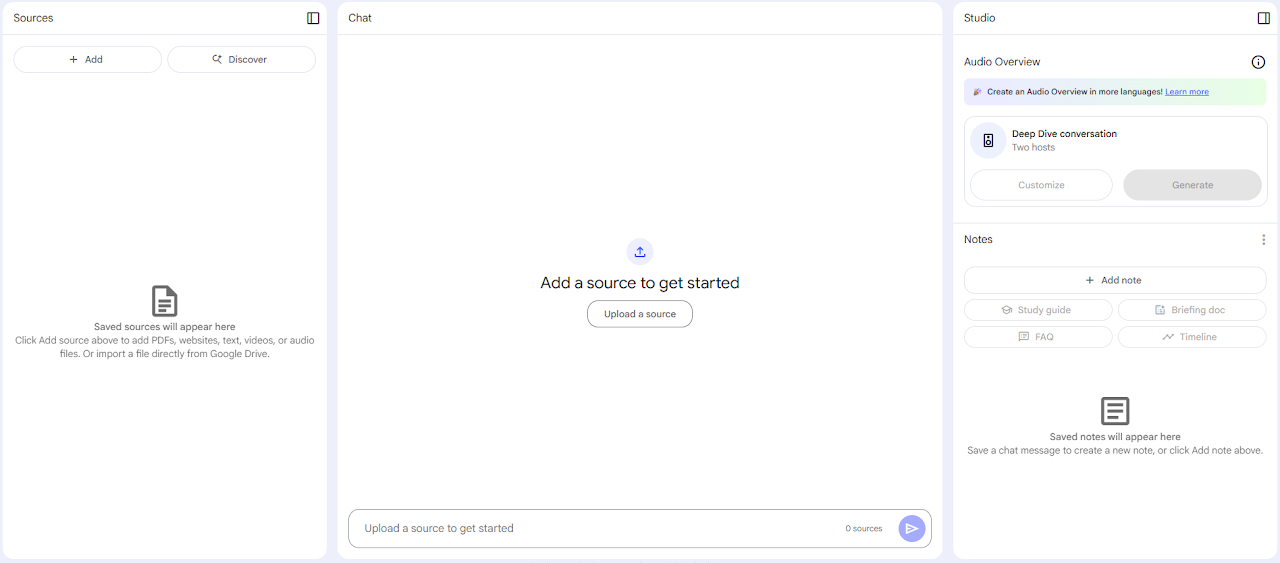
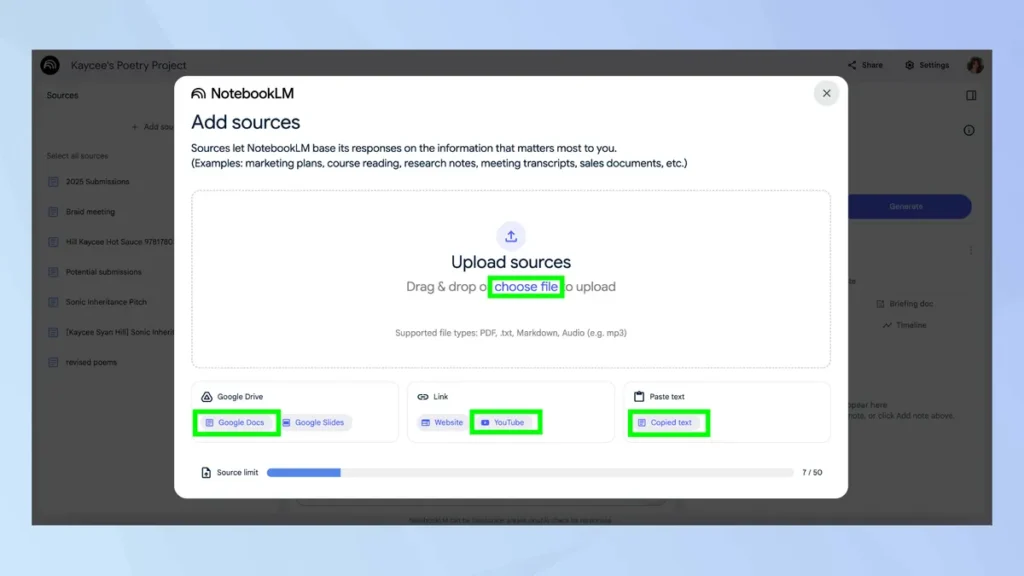
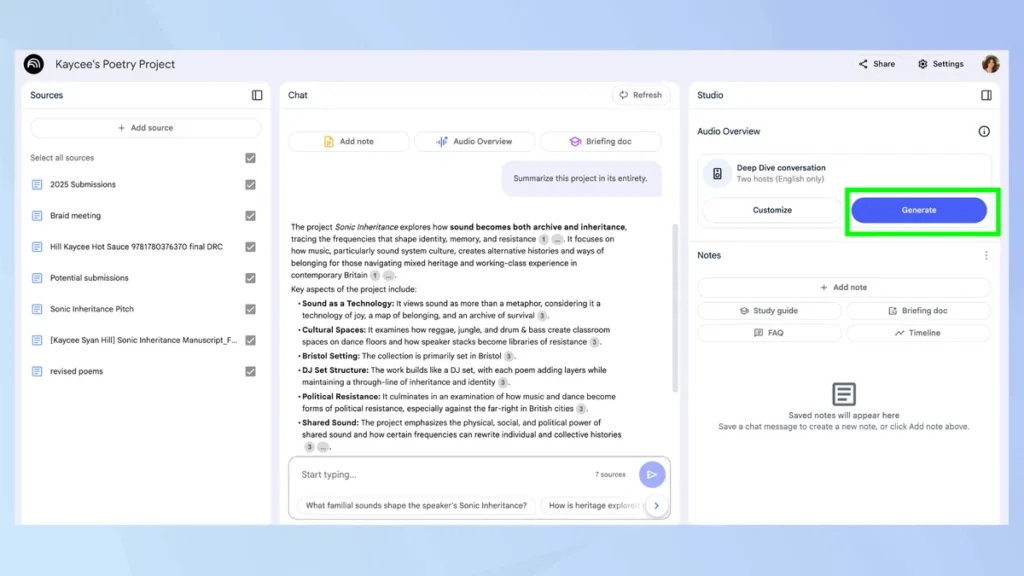
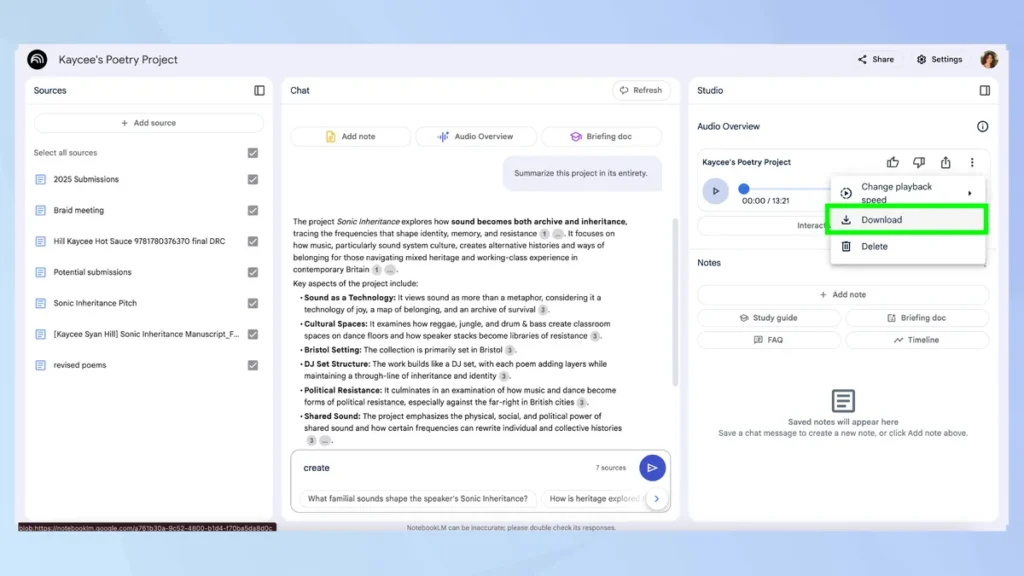
2. Upload the Transcript to NotebookLM
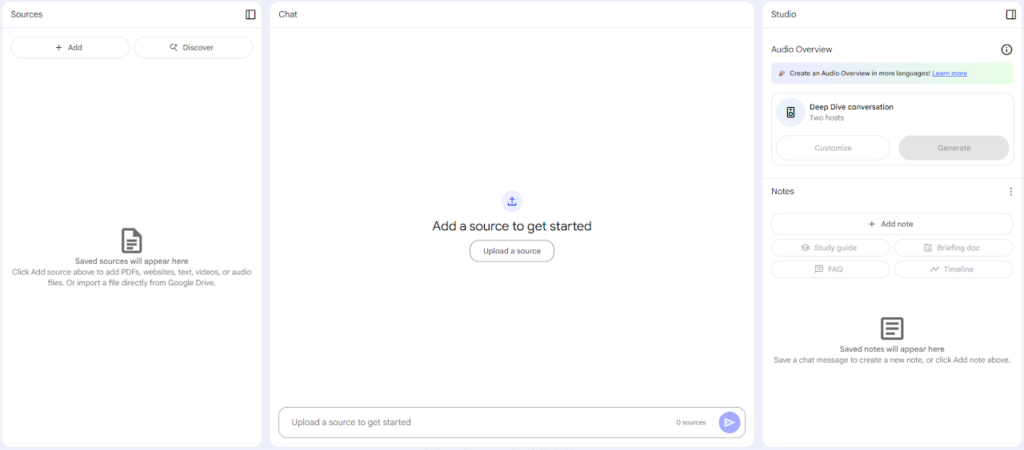
Create a new notebook inside NotebookLM and upload your meeting transcript. For better context, also upload:
- Project briefs
- Strategy documents
- Previous meeting summaries
- Roadmaps or timelines
The more relevant context you provide, the smarter the output becomes.
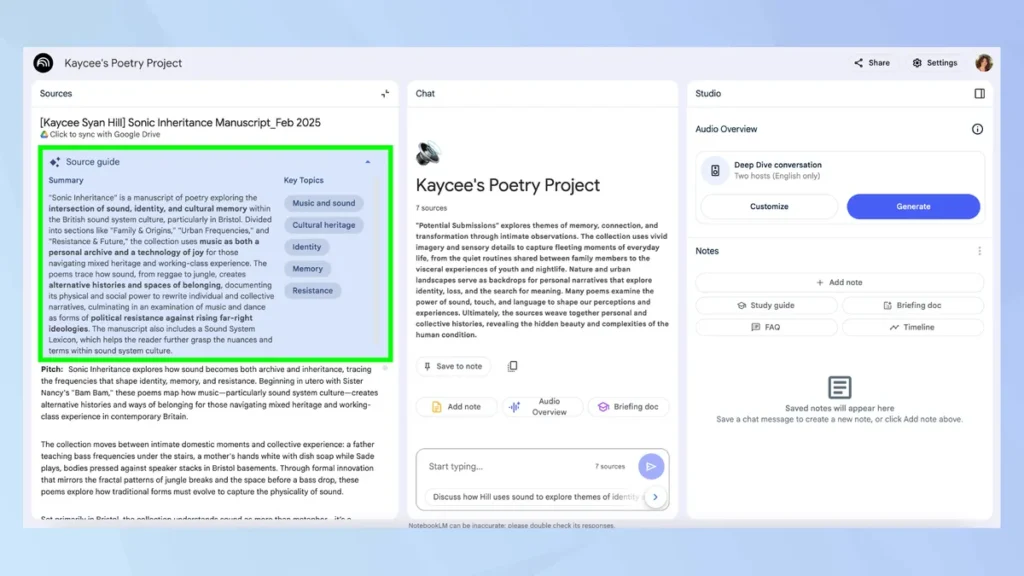
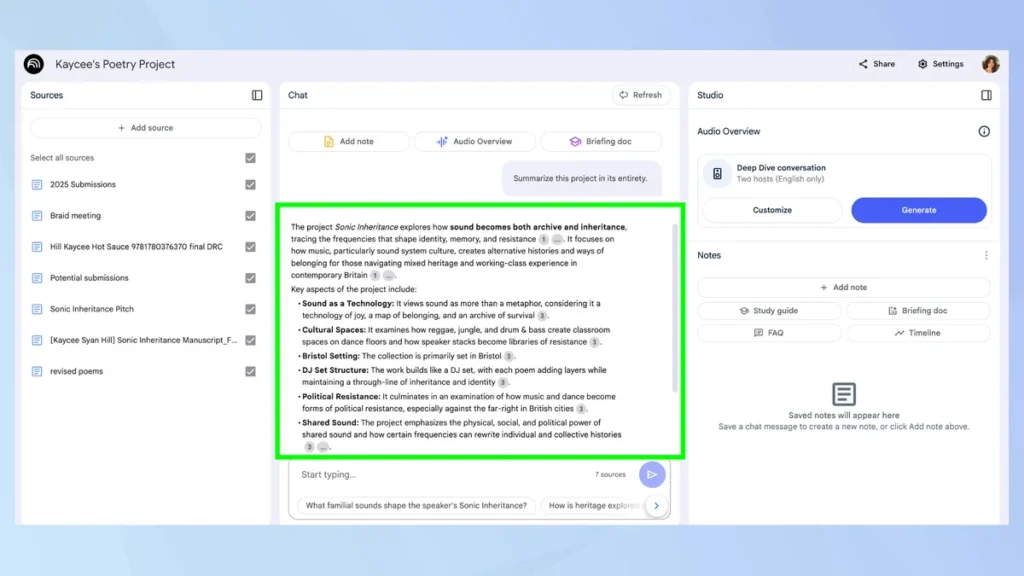
3. Generate a Structured Meeting Summary
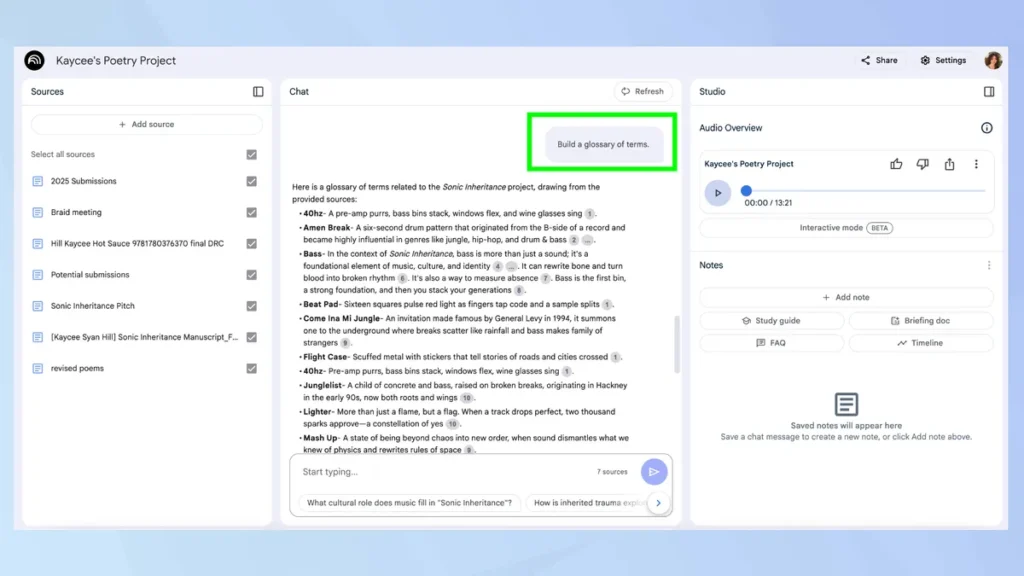
Once your transcript is uploaded, use targeted prompts like:
- “Summarize this meeting in clear bullet points.”
- “List all decisions made during this meeting.”
- “Extract action items with assigned owners.”
- “Highlight risks or concerns discussed.”
NotebookLM will analyze the content and generate organized summaries in seconds. This alone can save 30–60 minutes per meeting.
4. Turn Discussions into Action Plans
After summarizing, ask: “Create a structured action plan with deadlines and responsible team members.” You can then copy that output directly into project management tools like Asana or Trello. No manual rewriting. No confusion about who owns what.
5. Use It for Smarter Follow-Up Meetings
Before your next team call, upload:
- The previous meeting summary
- Updated reports
- Progress documents
Then ask: “What progress has been made since the last meeting?” “Which tasks remain incomplete?” NotebookLM will compare context and provide clear updates, helping remote teams stay accountable.

Real-World Use Case: Marketing Team Example
Imagine your remote marketing team holds a campaign planning session. Instead of assigning someone to clean up messy notes:
- Upload the transcript to NotebookLM
- Generate a strategic summary
- Extract campaign tasks
- Identify deadlines and owners
- Share the structured report with the team
In under 10 minutes, your team has executive-level documentation. Multiply this across weekly meetings, and the time savings become significant.

Best Prompts for Remote Team Productivity
To maximize results, use specific prompts. Here are proven examples:
- “Create an executive summary for leadership.”
- “List unresolved questions from this meeting.”
- “Identify any conflicting opinions discussed.”
- “Prioritize action items by urgency.”
- “Summarize this meeting in less than 200 words.”
Specific instructions produce sharper outputs.
Why NotebookLM Improves Remote Work Productivity
Remote teams struggle most with documentation and alignment. NotebookLM reduces friction in both areas. It improves:
- Clarity after meetings
- Accountability tracking
- Decision transparency
- Knowledge retention
- Onboarding documentation
Instead of digging through Slack threads or long transcripts, teams get structured intelligence instantly.
Why This Approach Is Reliable
Experience:
AI-powered meeting assistants are becoming essential for modern remote teams.
Expertise:
NotebookLM processes only your uploaded materials, reducing misinformation and irrelevant outputs.
Authoritativeness:
Developed by Google, it is built around structured knowledge analysis rather than casual conversation AI.
Trustworthiness:
It does not inject external data into your internal meeting notes, which improves reliability.
Common Mistakes to Avoid
Avoid uploading incomplete transcripts. Avoid vague prompts like “Explain this.” Avoid skipping context documents when discussing long-term projects. The quality of input directly affects the quality of output.

Final Thoughts
Remote meetings are here to stay, but wasted time doesn’t have to be. Learning how to use NotebookLM for remote team meetings can dramatically improve clarity, save hours each month, and reduce documentation stress. If your team works remotely, this tool can turn meetings from time-consuming discussions into structured execution plans. The future of remote work productivity is not more meetings. It is smarter ones.
Frequently Asked Questions (FAQs)
1. What is NotebookLM and how does it help remote team meetings?
NotebookLM is an AI-powered research and note assistant developed by Google.
It helps remote teams by analyzing uploaded meeting transcripts and documents to generate summaries, action items, and structured insights. Instead of manually reviewing long discussions, teams get organized outputs within seconds.
2. How do you use NotebookLM for remote team meetings?
To use NotebookLM for remote team meetings, you first record and export your meeting transcript from platforms like Zoom or Microsoft Teams. Then upload the transcript into NotebookLM, along with related documents if needed. After that, use prompts to generate summaries, extract action items, and identify key decisions.
3. Can NotebookLM automatically create action items from meeting transcripts?
Yes. NotebookLM can scan your transcript and identify tasks discussed during the meeting. By using prompts such as “List all action items with assigned owners,” you can quickly generate a structured task list ready to move into project management tools.
4. Is NotebookLM better than traditional meeting notes?
For remote teams, it is often more efficient than manual note-taking. Traditional notes depend on one person’s interpretation. NotebookLM analyzes the full transcript and provides structured summaries, reducing the chance of missed decisions or forgotten tasks.
5. Does NotebookLM pull information from the internet when summarizing meetings?
No. NotebookLM works only with the documents and transcripts you upload. It does not automatically add outside web information, which helps maintain accuracy and relevance for internal discussions.
6. Is NotebookLM secure for internal company meetings?
NotebookLM is built within Google’s ecosystem. Since it analyzes only uploaded documents, it keeps summaries focused on internal data. However, teams should always follow their company’s data security policies when uploading sensitive material.
7. Can NotebookLM replace an AI meeting assistant?
NotebookLM can function as a powerful AI meeting assistant for documentation and follow-ups. It may not replace live transcription tools, but it significantly improves post-meeting analysis, summaries, and decision tracking.
8. What are the best prompts to use in NotebookLM for meetings?
Some effective prompts include:
“Summarize this meeting in executive format.”
“Extract all assigned tasks and deadlines.”
“Highlight risks or unresolved issues.”
“Create a follow-up report for leadership.”
Clear and specific prompts produce better results.